


How to Disable Advertisements Ads in Skype: People have been complaining Advertisements in Skype for a while now saying its annoying and ruins the experience of voice chat.
According to the Skype Community web site you can remove them. Here is how to remove them.

1. Open Internet Explorer. 
2. Open  then “Internet Options“.
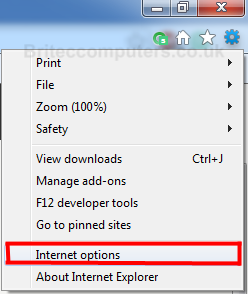
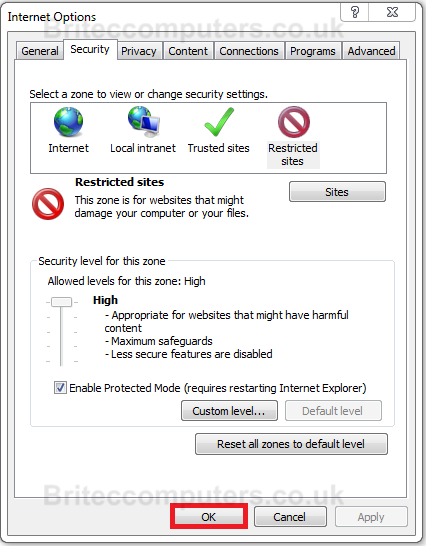
3. Go to the “Security” tab.
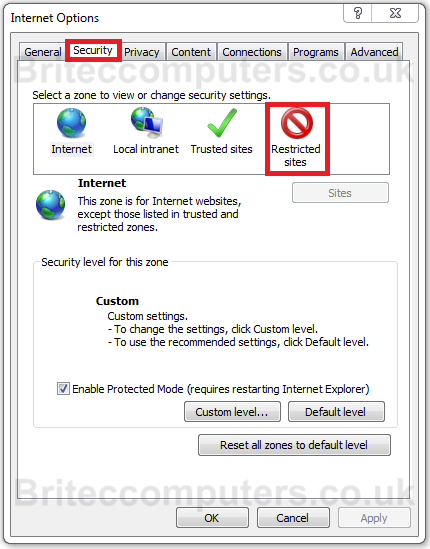
4. Click on the “Restricted Sites” icon, then the “Sites” button below it.
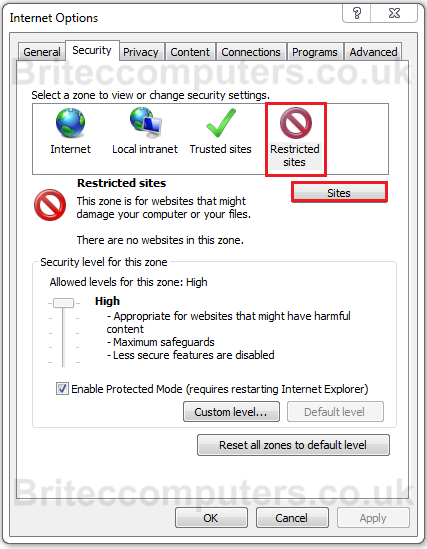
5. Type “https://apps.skype.com/” (without the quotes) into the text box and click “Add”
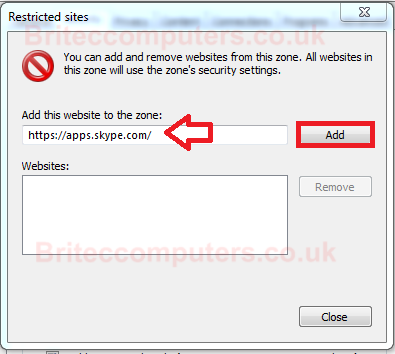
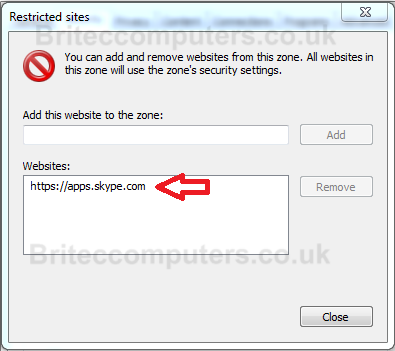
6. Close and click OK the changes.
7. Restart Skype. that’s it, no more Advertisements while chatting.
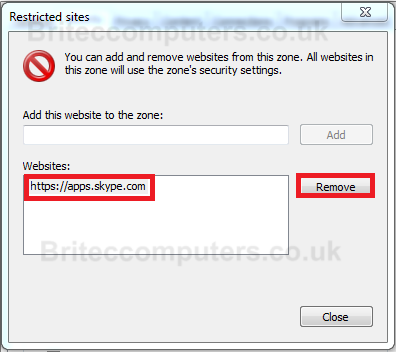
8. To Remove site from Restricted Sites hi light “https://apps.skype.com/” then click Remove
If you find this useful, please share with your friends.





Wow! It actually worked! Plenty of thanks!
Ok, this is just perfect. thanks alot!!! These ads were soooo annying >.<
Thank you very much my friend! this is cool 😉
Glad I could help.